
How to maintain monitors
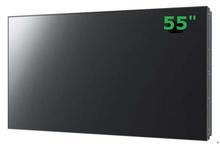
LCD monitor must have better image clarity, better color reproduction and more stability in order to better restore the actual surveillance situation and provide stronger proof for subsequent evidence extraction. So how can we better ensure the normal use of the LCD monitor? Before using it, understanding some basic LCD monitor maintenance skills will extend the life of your monitor to a certain extent.
Notes on using monitors
First, avoid collision or friction between the monitor and some hard objects. Because monitor products are relatively fragile, their ability to resist "impact" is also very small. Many crystals and sensitive electrical components will be damaged when they are impacted. Therefore, you must be more careful not to let the monitor come into contact with objects that can easily cause damage to it.
In addition, when cleaning the screen, you should also be careful not to spray cleaner directly onto the screen, because these liquids are likely to flow into the screen and cause a short circuit, affecting use. Instead, spray the cleaner onto a soft clean cloth and then wipe the screen to avoid danger.
Secondly, if you accidentally spray cleaner on the screen, you don’t have to worry too much when the cleaner liquid is injected into the screen. If you find that there is only fog on the screen surface before turning on the computer, just wipe it off gently with a soft cloth. If moisture has entered the LCD monitor, place the LCD monitor in a slightly higher temperature place, such as under a desk lamp, so that the moisture inside will gradually evaporate.
Third, it's best not to use a screen saver. Why? You will know as you read on. Because the core structure of an LCD monitor is similar to a "sandwich", it is filled with moving liquid crystal molecules between two glass substrates. The signal voltage directly controls the switching state of the thin film crystal, and then uses transistors to control the liquid crystal molecules. The liquid crystal molecules have obvious optical anisotropy and can modulate the light emitted from the backlight tube to display images. A complete display screen is composed of many pixels, and each pixel is like a transistor that can be switched on and off.
Finally, I would like to tell you that if there is a problem with the LCD monitor product, do not disassemble the product without permission, because high voltage will be generated inside the monitor. Unknown people disassembling the monitor will not only be dangerous, but may also easily aggravate the monitor's fault. Therefore, when problems occur, be sure to call the after-sales service center for consultation in time to avoid unnecessary trouble.
1. When using the monitor, avoid turning it on and off frequently. Otherwise, the LCD lamp may be easily damaged and the service life of the monitor may be shortened.
2. Avoid placing the monitor near a heat source or in a place exposed to direct sunlight to avoid accelerated aging.
3. Avoid using plastic covers to cover the monitor. When using, the anti-tip cover or covering cloth should be fully opened to facilitate heat dissipation.
4. Avoid leaving the monitor unused for a long time, especially in spring and summer. It is best to turn it on several times a week to avoid reducing the insulation performance of electronic components due to moisture.
5. Do not work while the monitor is sick.If you find that the monitor image flickers, the brightness becomes brighter and white retrace horizontal lines appear, there is an ozone smell in the machine or internal sparks, abnormal sounds, etc., you should stop using it immediately and have it repaired in time.
6. The monitor is susceptible to magnetic field interference and cannot be used together with other electrical appliances.
7. Do not let the monitor work in standby mode for a long time. Turn off the power.
8. Monitors are particularly prone to absorbing dust, so they should be placed in a clean and well-ventilated environment.
9. Do not place the monitor in a sealed cabinet. Pay attention to heat dissipation when monitoring.
10. Do not scratch or hit the display with hard objects, because the surface of the LCD monitor is made of polarizing film. If you scratch it with a pen or hard object, it will easily scratch the polarizing film and affect the display effect.