
Common problems when installing network cameras
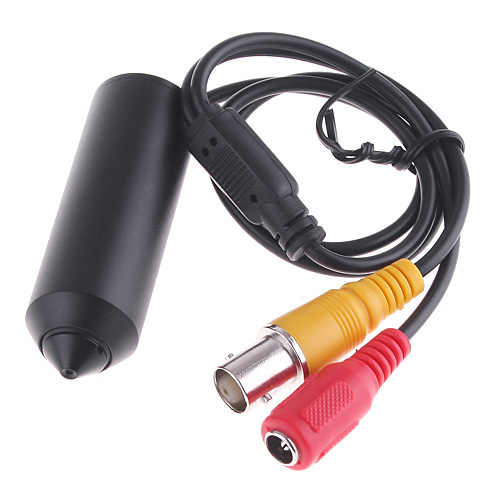
Network HD Camera is a new generation product that combines traditional cameras with network video technology. It can not only process camera images but also send them to end users through LAN, internet or wireless network.
With the birth of the H.264digital video encoding standard, the quality of video images transmitted over the network has also made a qualitative leap. So where do some of the problems that often occur with high-definition network cameras appear? Now, Maishi is here to work with you to solve several common network camera failures. After installing the IP camera, your search engine cannot find the IP of the IP camera?
First you need to confirm whether your network cable and power supply are installed correctly. If the camera still cannot find the IP after confirmation, then you need to confirm your network segment and see if the network segment of the network camera is the same as that of your computer. If it is different, you may need to change the network segment of the network camera to be the same as that of your computer.Your computer will be able to find the IP of the network camera.
Why is it that after Network HD Camera is connected, it can be viewed on the internal network, but cannot be viewed on the external network? There are two factors regarding this issue. The first is that there is no port mapping, because each camera has to transmit the signal and then view it through the monitor. If we do not do port mapping, the signal cannot be sent out, so the signal will only be inside the internal network, so that the external network cannot receive the signal, making it impossible for the external network monitor to monitor the scene in real time.
Another issue is the domain name of your computer. See if you can log in. Generally speaking, the external network access address of network camera is directly linked to the domain name. The external network access address of the network camera can be your computer's external network IPAdded port can also be your domain name information plus port.
5 cameras are connected, why is there only one camera that outputs the picture?
This problem is because you did not change the IP and port number of the high-definition network camera, because when multiple network cameras are connected, the IP of each network camera"> and port cannot be the same, otherwise there will be no oneIPOr if the port numbers are the same, the videos from the two cameras will conflict, and the video will be distorted or there will be no video at all. For example, if the signal is regarded as streaming water, the port number is regarded as the output of streaming water. If the port number is the same, the river will be separated and left to the other same outlet. Do you think there will be a conflict in the video signal? Can such a video be played normally? And the network camera defaults
Shenzhen Xinlaida Security Technology Co., Ltd. is a professional manufacturer of professional network high-definition surveillance systems.
This article is from: Xldcctv www.xldcctv.com